
How to make a Bulin 47 AI video: the viral freestyle, starring you
Where the Bulin 47 freestyle meme comes from, and how to make your own Bulin 47 AI video from one photo, with the original freestyle audio.
By Bulin 47 AI · Updated · 4 min read
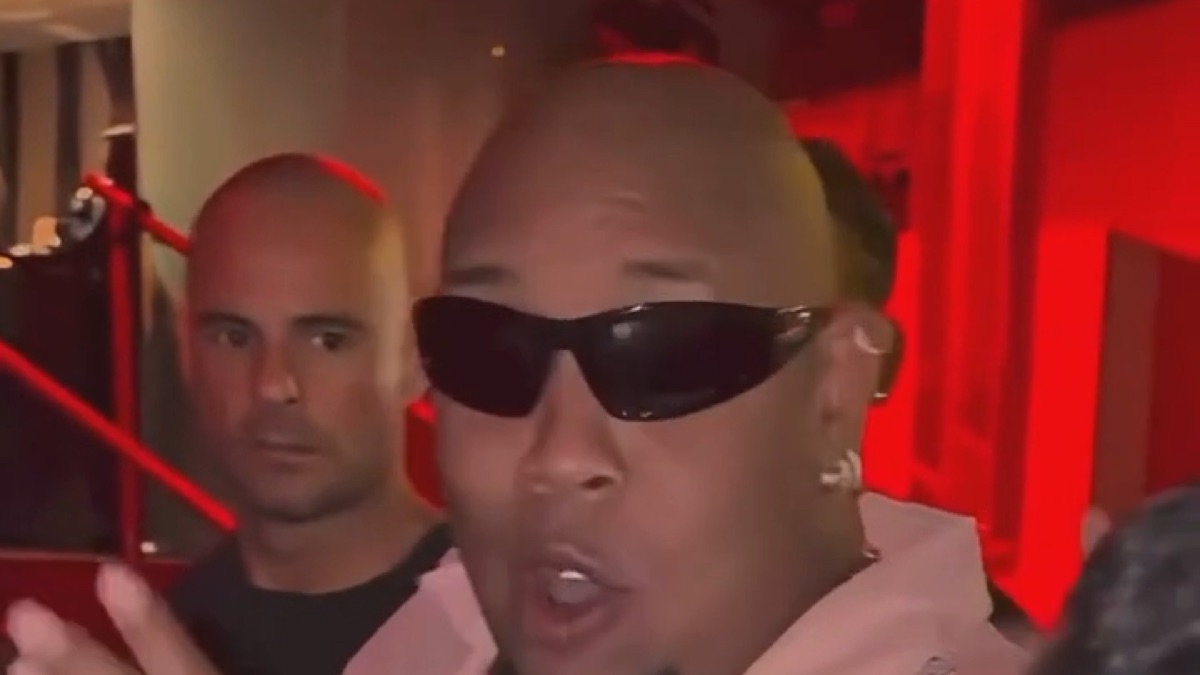
The Bulin 47 AI trend takes one of the most copied clips of October 2026, a street freestyle by Dominican dembow artist Bulin 47, and puts someone else in his spot. A fan stops him with a phone and a portable speaker in a red-lit club entrance, he freestyles straight at the camera, and the crowd behind him cracks up. This guide covers where the meme comes from and how to make your own version from one photo.
Where the Bulin 47 meme comes from
At the start of October 2026, on his way into a venue in Spain, Bulin 47 was stopped by creator Kevin Wai, who was carrying a speaker playing a dembow beat. Bulin answered with an improvised verse, and one line stuck: “no ando en película ni ando en paquete, ya todos me conocen, soy Bulin 47”. The clip spread across TikTok and Instagram within days, and the two later released the single “Dame Hombro”, named after the shoulder bounce.
The AI phase started almost immediately. People recast the clip with themselves, their friends, footballers and politicians in Bulin’s place, keeping the red light, the speaker, the gestures and the audio. That version is what Bulin 47 AI makes.
How to make a Bulin 47 AI video
- Open the generator on the Bulin 47 AI home page and sign in with Google.
- Pick the cut. Freestyle (12 s) is the one most people post. Hook (5 s) is just the opening bars. Full verse (23 s) runs all the way to the laughs at the end.
- Upload one photo of yourself. Face the camera, with head, shoulders and upper body in frame, in good light.
- Pick a quality and press Generate. Hook 50 credits at Standard (480p) or 100 at HD (720p) or 150 at Full HD (1080p); Freestyle 100 credits at Standard (480p) or 200 at HD (720p) or 300 at Full HD (1080p); Full verse 300 credits at Standard (480p) or 600 at HD (720p) or 900 at Full HD (1080p). You take the rapper’s spot; the friend with the speaker, the crowd and the red-lit club stay exactly as they are.
- Download and post. Rendering usually takes a few minutes. Finished videos appear under “My videos”, where you can watch them full size and download the MP4. They stay there for 14 days.
Tips for a better result
- Use a sharp, front-facing photo. The AI redraws your face in every frame while you rap, so small, blurry or side-on photos drift the most.
- Leave the shades off. Bulin wears wraparound sunglasses, but the AI needs your eyes to keep your likeness. You keep what you wear in your photo.
- Keep it to one person. Group photos confuse the model about who the freestyler is.
- Dress for it. Your outfit carries over, so a loud shirt, a chain or a fresh fit reads well under the red light.
Posting it
The finished video is vertical, like the original, so it fills the screen on TikTok, Reels and Shorts. It keeps the audio of the cut you picked, in time with your mouth. If a platform mutes it after you post, add the Bulin 47 sound inside the app instead.